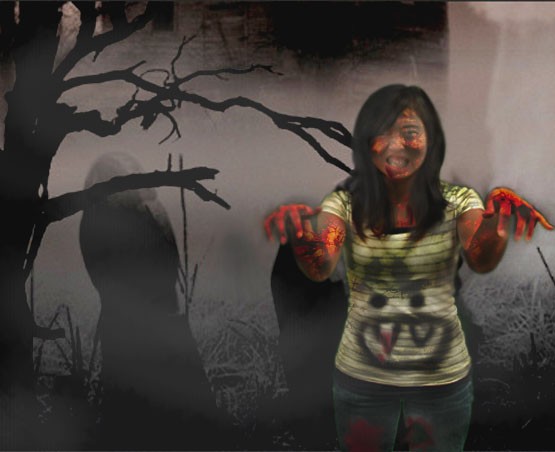
I used photoshop cs3 to create a zombie out of a normal human picture.
The purpose of this Zombie project was to apply the knowledge we have in Photoshop and utilize them to transform someone into a zombie. This Zombie project is a test of our knowledge because we used everything we learned from September to now which includes from layer arrangement to background erasing to the paint and retouch tools. We also had the opportunity to alter layer modes and create textures for different effects. I had a lot of fun working on the Zombie project. It helped me explore Photoshop freely. It made me realize that it’s impossible to learn all of Photoshop in just a couple of weeks. I used the magic wand tool and altered the tolerance to select the person and remove the background. We also learned how to make a picture into a texture pattern. We used the texture and put it on the person for a zombie effect. I changed the opacity of the texture so that it would look like the pattern is the skin. I also applied layer overlays onto the background and the textures for more effects. I adjusted the exposure and opacity while I dodged and burned the photo. I added fog by creating a new layer, using paint brush, changing the color to grey, and lowering the opacity. While I was working on this project, I took multiple snapshots just in case; it was useful and convenient when I made mistakes. In the future, I can create my own Halloween ornaments.
Comments: 0
There are no comments yet, be the first to write a comment!
 Stephanie Sy